
Download WSL Manager – Free, Secure & Fast Linux Distro Manager for Windows & Mac
WSL Manager is a powerful, lightweight tool designed to simplify the management of Linux distributions on Windows and Mac systems. Built on the foundation of Windows Subsystem for Linux (WSL), this software eliminates the need for traditional virtual machines, offering a seamless integration between Windows and Linux environments. With support for WSL 1 and WSL 2, WSL Manager enables developers, system administrators, and tech enthusiasts to run Linux applications, manage terminal sessions, and access GUI-based tools with minimal overhead.
The application is available for free download on both Windows and macOS, making it accessible to a wide range of users. Using a secure localhost interface at https://localhost:1234, WSL Manager provides a user-friendly web-based dashboard to monitor and control all installed Linux distributions. Whether you're importing a new distro via tar file or managing running instances, the tool streamlines the entire workflow.
It supports advanced features like X11 graphics forwarding, allowing Linux GUI apps to run smoothly on your desktop. With built-in terminal access, real-time status tracking, and export capabilities, WSL Manager stands out as a must-have utility for anyone leveraging WSL on their daily workflow.
Key Features of WSL Manager
WSL Manager is packed with features that enhance the Linux experience on Windows and Mac systems. One of its standout capabilities is the intuitive web-based dashboard accessible via https://localhost:1234. This interface allows users to view all installed Linux distributions, check their current state (running, stopped, or paused), and monitor WSL version compatibility. The tool supports both WSL 1 and WSL 2, giving users flexibility in performance and compatibility. For developers, the ability to import distributions using tar files—whether from a local drive or network location—is a game-changer, especially when working with custom or enterprise-built images.
Another powerful feature is the built-in terminal access. Users can launch a Linux shell directly from the WSL Manager interface, eliminating the need to open a separate command prompt or PowerShell window. This seamless integration boosts productivity and simplifies workflow management. Additionally, WSL Manager supports X11 graphics forwarding, enabling the execution of GUI applications from Linux environments directly on your Windows or macOS desktop—perfect for tools like GIMP, VS Code, or Firefox.
The software also offers full lifecycle management for Linux distros. You can start, stop, export, and even rename distributions with just a few clicks. The wsl --list -v command is mirrored in the UI, with additional filters like --all, --running, and --quiet for advanced users. For those who prefer CLI control, WSL Manager provides command-line integration, ensuring compatibility with existing automation scripts and workflows. All features are delivered through a secure, encrypted connection, ensuring your data remains protected during remote access and management.
Installation & Usage Guide for WSL Manager
Getting started with WSL Manager is straightforward, whether you're on Windows or macOS. First, ensure your system meets the minimum requirements: Windows 10 version 2004 or later (Build 19041+) or macOS 11 Big Sur and above. On Windows, open PowerShell as an administrator and run wsl --install to enable WSL and install a default Linux distribution (typically Ubuntu). For macOS users, install the WSL driver via the official WSL Manager download page, which includes the necessary kernel and compatibility layers.
Once WSL is enabled, download the WSL Manager application from the official website. The installer is lightweight and includes all required dependencies. After installation, launch the app.
It will automatically detect any existing WSL distributions and display them in the web dashboard at https://localhost:1234. You can now manage your distros directly from the browser. To import a new distribution, navigate to the “Import” tab, select your tar file, and choose the target name and WSL version (1 or 2).
The tool will handle the rest, including setting up the filesystem and permissions.
For daily use, simply open WSL Manager, select a distribution, and click “Start” to launch it. You can then open the embedded terminal or access GUI apps via X11. When you're done, use the “Stop” or “Export” functions to save your work or back up the image. The software automatically checks for updates, ensuring you always have the latest security patches and feature enhancements. With minimal setup and intuitive navigation, WSL Manager is ideal for both beginners and advanced users looking to streamline their Linux-on-Windows workflow.
Compatibility & System Requirements
WSL Manager is designed for maximum compatibility across modern operating systems. It officially supports Windows 10 (version 2004 or later, Build 19041+) and Windows 11, making it accessible to the vast majority of Windows users. For macOS users, the software runs on macOS 11 Big Sur (Intel and Apple Silicon) and later versions, ensuring smooth performance on both M1 and M2 Macs. This cross-platform support is a major advantage, especially for developers who work across multiple environments.
The application requires the WSL feature to be enabled on Windows or the WSL driver installed on macOS. On Windows, this is typically done via PowerShell with wsl --install. On Mac, the driver is included in the WSL Manager installer package. No additional virtualization software like VMware or VirtualBox is needed, reducing system overhead and improving performance. The software also supports all major Linux distributions available through the Microsoft Store, including Ubuntu, Debian, Fedora, openSUSE, and Kali Linux.
For optimal performance, we recommend at least 4GB of RAM and 10GB of free disk space. While WSL Manager runs efficiently on most modern machines, systems with limited resources may experience delays during distribution imports or GUI rendering. The tool is lightweight, consuming minimal CPU and memory when idle, and scales well under load. It also integrates seamlessly with existing tools like Visual Studio Code, Docker Desktop, and Git, making it a natural fit in any developer’s toolkit. Whether you're managing a single distro or a multi-environment setup, WSL Manager delivers consistent performance across all supported platforms.
Pros and Cons of WSL Manager
- Pros:
- Free to download and use with no hidden fees
- Intuitive web-based interface accessible via localhost
- Supports both WSL 1 and WSL 2 with full feature parity
- Enables GUI app execution via X11 forwarding
- One-click import/export of Linux distributions using tar files
- Secure, encrypted connection for remote management
- Lightweight and efficient, minimal impact on system resources
- Regular automatic updates ensure security and stability
- Cons:
- Requires WSL or WSL driver installation on all systems
- MacOS support is newer and may have occasional compatibility quirks
- GUI performance depends on X11 server quality (recommend X410 or VcXsrv)
- Advanced users may prefer CLI for faster workflows
- Limited documentation for troubleshooting edge cases
Frequently Asked Questions (FAQ)
- Is WSL Manager free to download?
Yes, WSL Manager is completely free to download and use. There are no premium tiers or subscription models. The software is open for personal and professional use without restrictions.
- Can I use WSL Manager on macOS?
Absolutely. WSL Manager supports macOS 11 Big Sur and later. You’ll need to install the WSL driver included in the download package, which enables Linux kernel compatibility on Apple Silicon and Intel Macs.
- How do I import a Linux distribution using a tar file?
In WSL Manager, go to the “Import” section, select your tar file (local or network), enter a name for the new distribution, and choose the WSL version (1 or 2). Click “Import” and the system will set up the filesystem automatically.
- Does WSL Manager support GUI applications?
Yes, WSL Manager supports X11 graphics forwarding. You can run GUI apps like Firefox, GIMP, or VS Code from your Linux distro directly on your Windows or Mac desktop, provided you have an X11 server installed (e.g., VcXsrv for Windows or X410 for macOS).
- Can I manage multiple Linux distributions with WSL Manager?
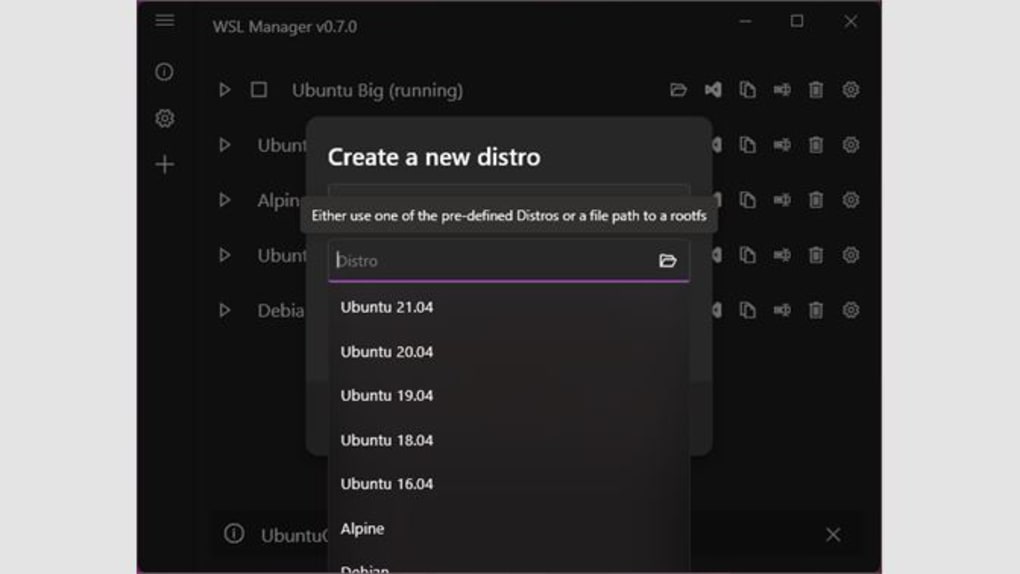
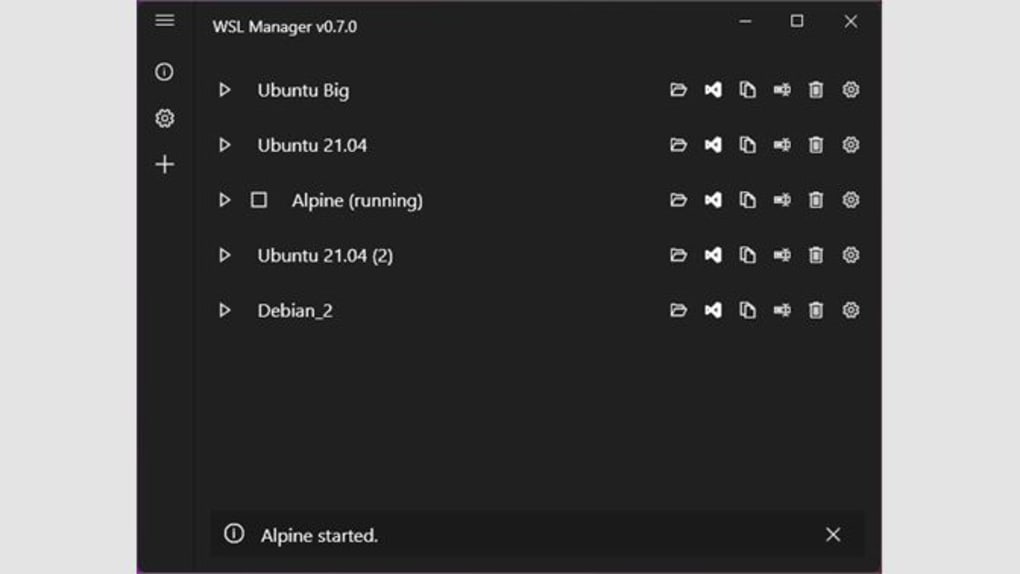
Yes, WSL Manager displays all installed distributions in a single dashboard. You can start, stop, export, rename, or delete any distribution with a few clicks. The interface clearly shows the state, version, and disk usage of each distro.
Conclusion & Call to Action
WSL Manager is a must-have tool for anyone leveraging the power of Linux on Windows or macOS. With its intuitive web interface, robust feature set, and seamless integration with WSL, it simplifies the entire Linux distribution lifecycle—from installation to management. Whether you're a developer, system administrator, or hobbyist, WSL Manager delivers a secure, fast, and reliable way to run Linux apps without the complexity of virtual machines.
Its support for GUI applications, one-click imports, and built-in terminal access makes it ideal for both beginners and advanced users. The fact that it’s free, regularly updated, and compatible with modern systems adds to its appeal. If you're looking to enhance your development workflow or explore Linux tools on your existing machine, WSL Manager is the perfect solution.
Download WSL Manager today and experience the future of cross-platform development—fast, secure, and hassle-free.







